Core
The client dashboard: set up an organisation, manage tags and Portals, see your audience and what happened, and get paid.
Core is the client dashboard, served at departmnt.tech, where a brand builds, deploys and tracks its connected products: every tag, every tap and every person who chose to take part. This page covers how Core is organised, getting started, tags and Portals, your audience, payments, the door, the ten modules and integrations.
What Core answers
The record belongs to the client, not to a platform. Each client has its own organisation in Core, which keeps tags, campaigns and experiences separate across events, partners and uses.
- Who came in. A tap is a recorded arrival rather than an estimate.
- Where they went. A touchpoint per zone shows how a floor or a site was actually walked.
- Who came back. Repeat presence across days, cities and events.
- Who you can talk to. Consent is recorded with the record, so the contactable audience is a fact rather than an assumption.
And one thing it lets you do: change the campaign, not the product. Repoint a tag, change what a zone opens, or schedule a release, over the air. The hardware in the field stays where it is.
What you do in Core falls into four jobs.
- Set upClaim a batch by its number, point it at a Portal or a page, and invite your team.
- RunEdit Portals and journeys live, repoint or switch off any tag, sell tickets and check the door.
- KnowTaps by place and time, who came back and when, with consent kept with every record.
- GrowSegments and messages, triggers when something happens, and exports. The API and webhooks follow on Agency and Network once they ship.
How Core is organised
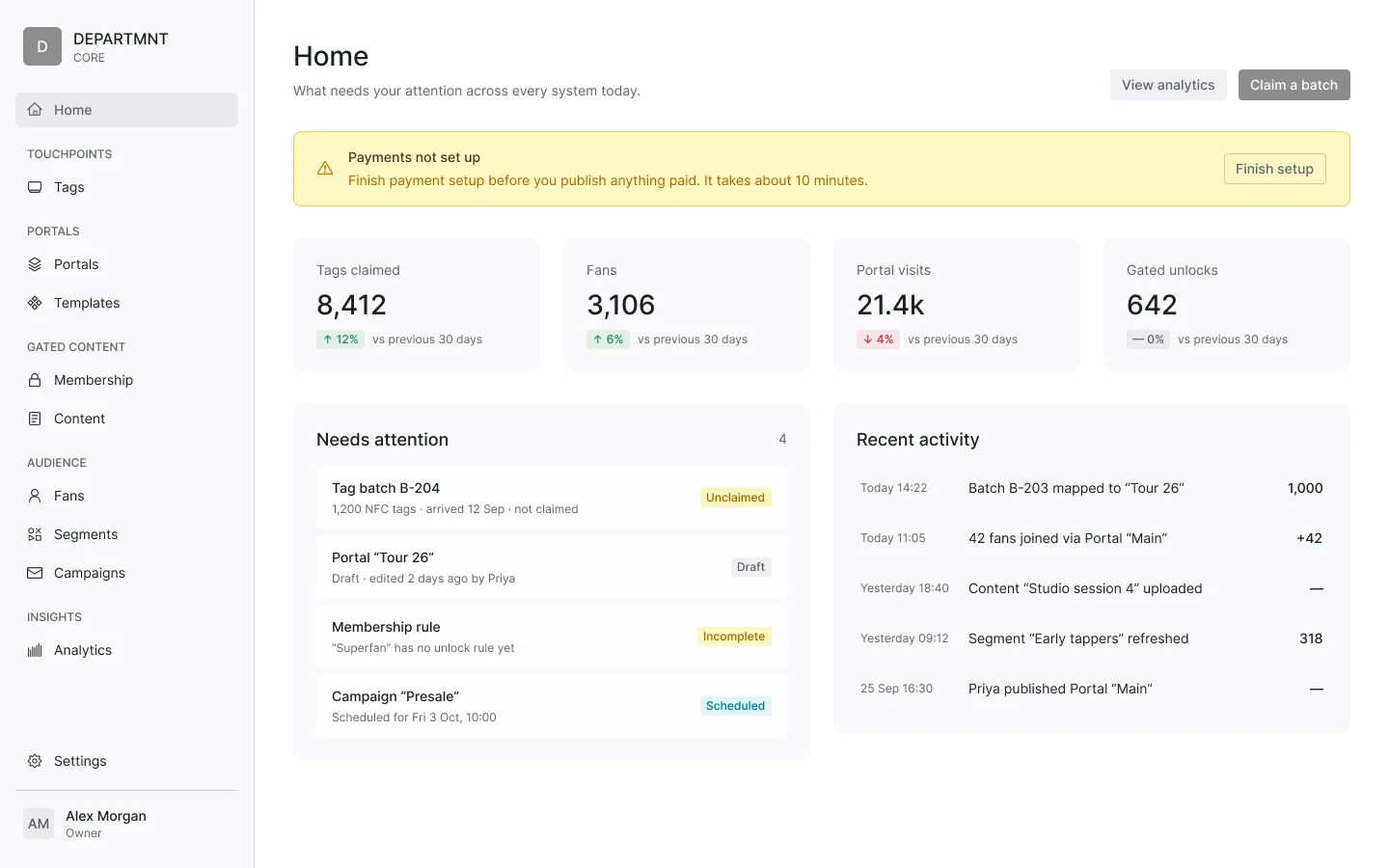
Core is organised by systems: Home, Touchpoints, Portals, Audience, Membership and Insights, with Settings last. It shows only the systems you use. They all share the same audience and the same record, so adding one later needs no new setup.
- HomeWhat needs you today: live numbers, what changed, and anything waiting on a decision.Home
- TouchpointsThe physical layer: every batch and every tag.Tags
- PortalsWhat a tap opens, built and published here.PortalsTemplates
- AudienceThe people who chose to take part.FansSegmentsMessages
- MembershipWhat members unlock.MembershipContent
- InsightsWhat happened: taps in total, over time and by location.Analytics
- SettingsThe organisation and how it is paid.Payments
A client works top to bottom the first time: set up tags, point them at a Portal, choose what members unlock, then watch the audience arrive. After launch, most days start at Home and Insights.
Getting started
The backend is built and ready to scale. While the interface is developed, DEPARTMNT runs Core for clients as a white glove service; self serve is a beta for selected Base, Studio and Label clients from Q4 2026, with the full platform going to selected clients in 2027. Onboarding is four steps.
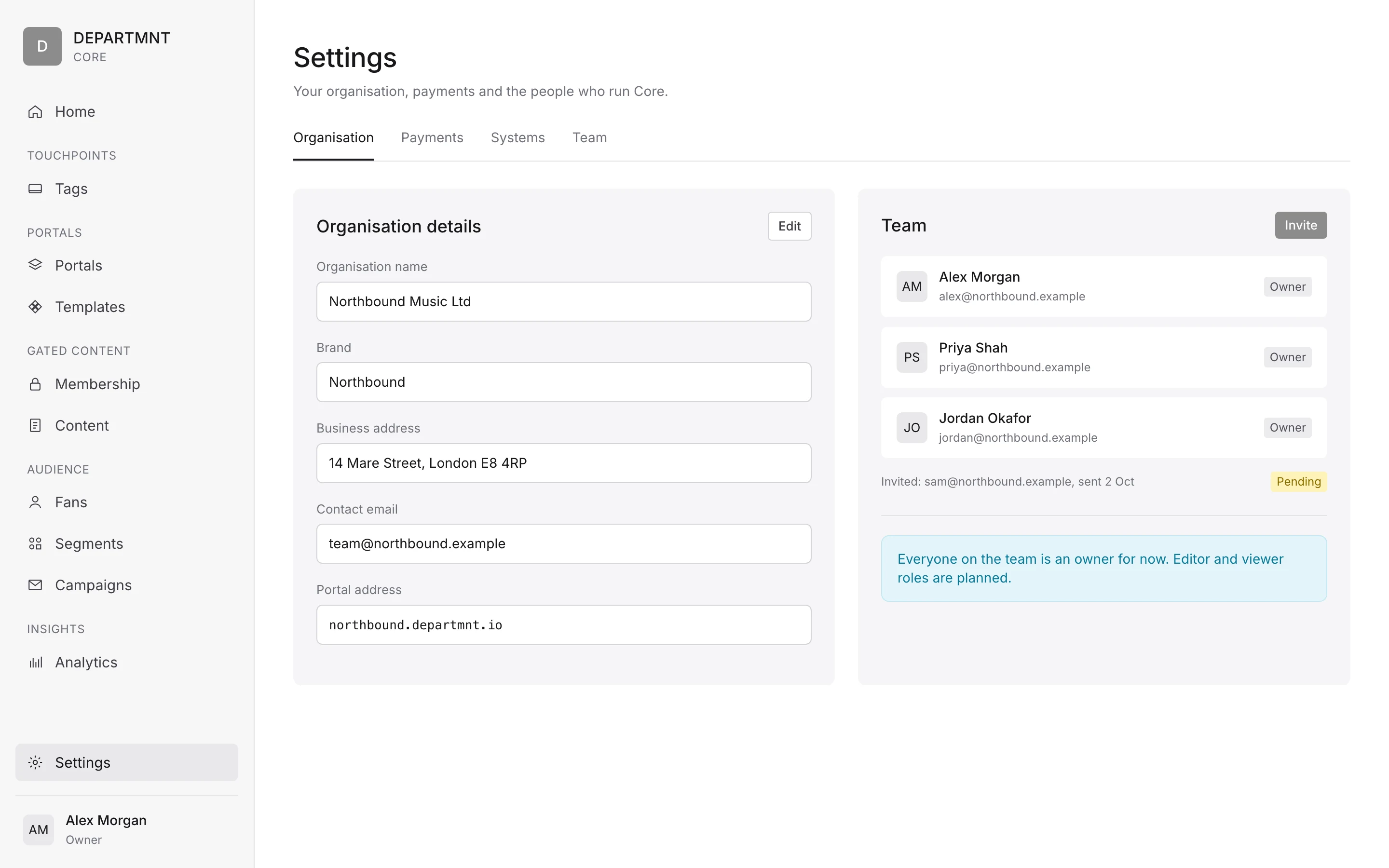
- OrganisationName, brand and the details of the business.
- SystemsWhich systems you will use: touchpoints, Portals, audience, membership.
- PaymentsConnect Stripe to take payments and receive payouts.
- Invite teamBring in the people who will run it.
In v1, Core has one role: owner. Editor and viewer are planned. Door staff sign in with a PIN (see Core Access). Signed clients: see Onboarding.
Tags and Portals
Tags
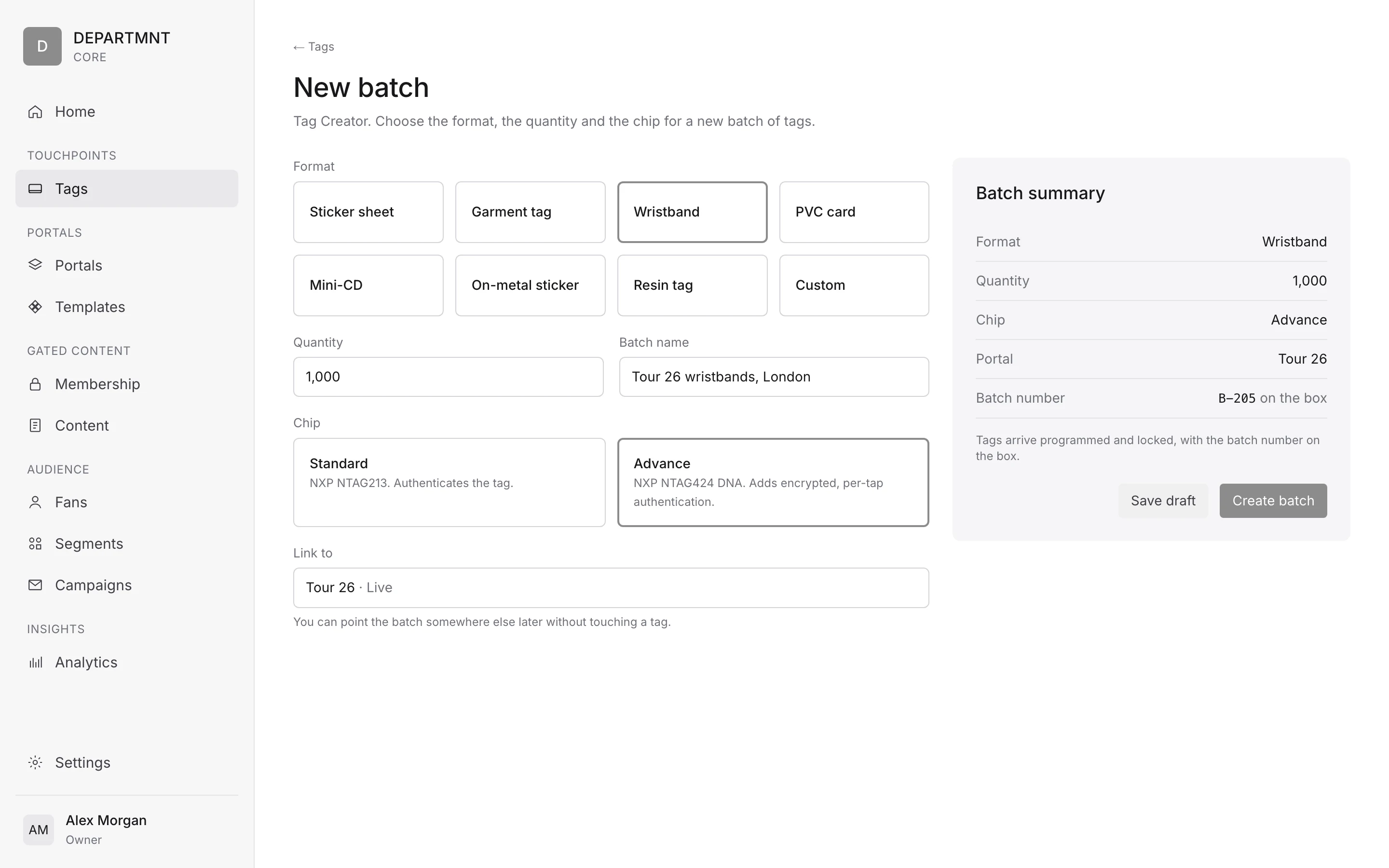
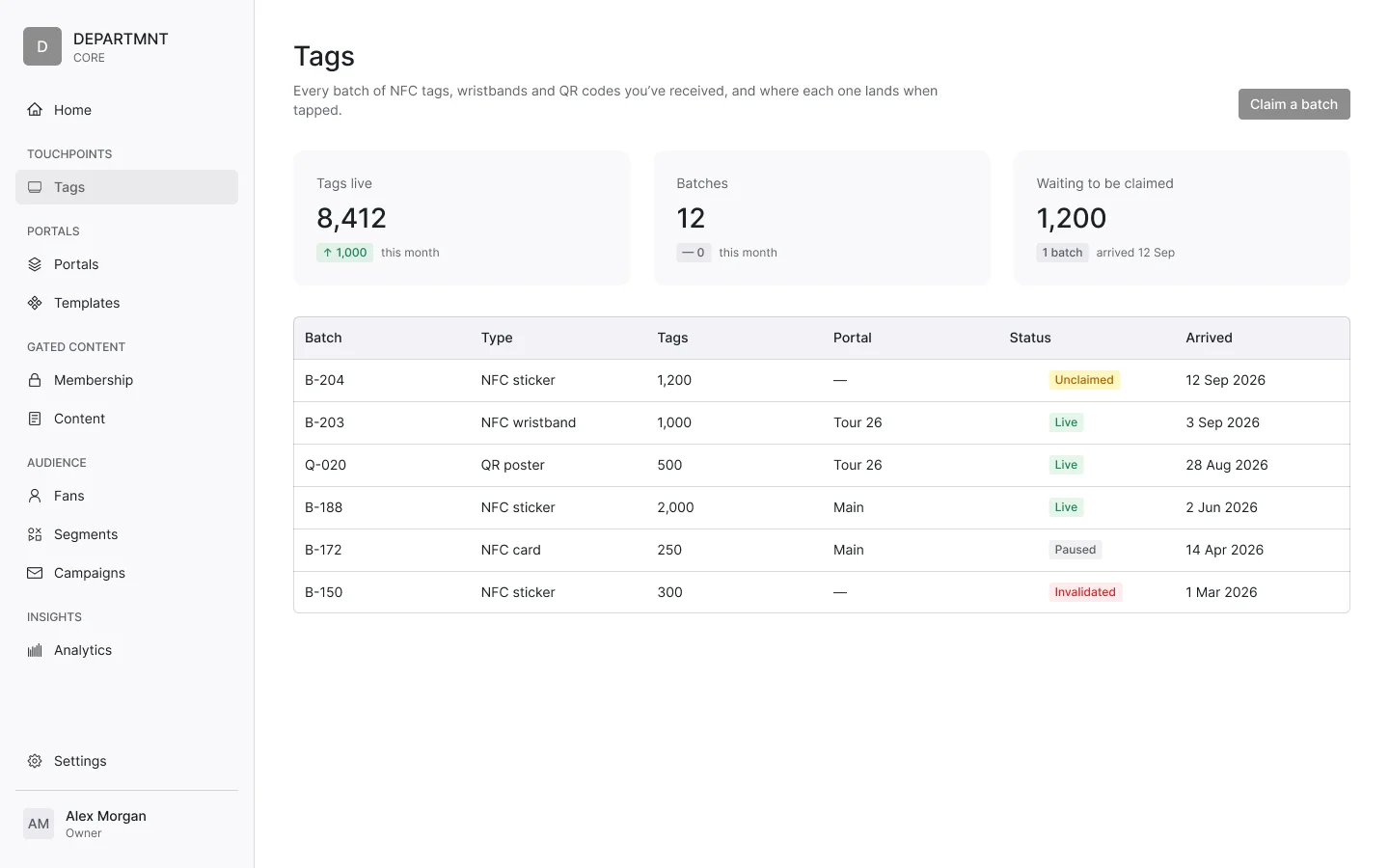
Tags are made in the Tag Creator and managed in the Tag Manager, under Touchpoints. They come in batches, and a batch becomes a Portal in three steps.
Tags arrive programmed and locked, with the batch number on the box, so there is nothing to charge and nothing to install. Claiming a batch takes about two minutes, and pointing it at a Portal about one.
- Claim the batchTags arrive with a batch number. Enter it and the whole shipment is yours in Core.
- Point it at a PortalChoose the Portal, or a page inside it, that this batch should open.
- LiveEvery tag in the batch opens the Portal. Change it later without touching a tag.
Each tag has its tag number, the UXID, and moves through a lifecycle:
| State | What it means |
|---|---|
| Manufactured | The tag is made and encoded, and not yet known to an organisation. |
| Enrolled | The tag is registered to a client's organisation, usually as part of a batch. |
| Linked | The tag points at a Portal or a destination. |
| Claimed | A person has claimed the tag, or the product it is in, as theirs. |
| Invalidated | The tag is switched off, for example if it is lost or replaced. |
A tag can be repointed later without reprinting. Signed clients: see Hardware, encoding and QA.
Portals
Portals are built, staged and published from Core, from scratch or from a template. A Portal moves through four publishing states.
- DraftBeing built.
- In reviewChecked before it goes out.
- LiveOpen to anyone who taps or follows the link.
- ArchivedTaken down and kept.
A Live Portal can be edited, and the change reaches every tag that points at it.
See Portal and Portal modules. Signed clients: see Portal build.
Audience and insights
Audience holds Fans, Segments and Messages.
- Fans. A record per fan, showing what they consented to. Every consent is recorded with its purpose, the version of the wording and the time, and withdrawal is honoured.
- Segments. Audience segments, built from behaviour and events.
- Messages. A send to a segment, by email or push, to the people who consented to that purpose.
A campaign is something else: one journey on a Portal, with its own dates and tags. Exports are consent filtered and watermarked.
Someone who has not signed up is a tap, not a person: a record of presence until they choose to take part.
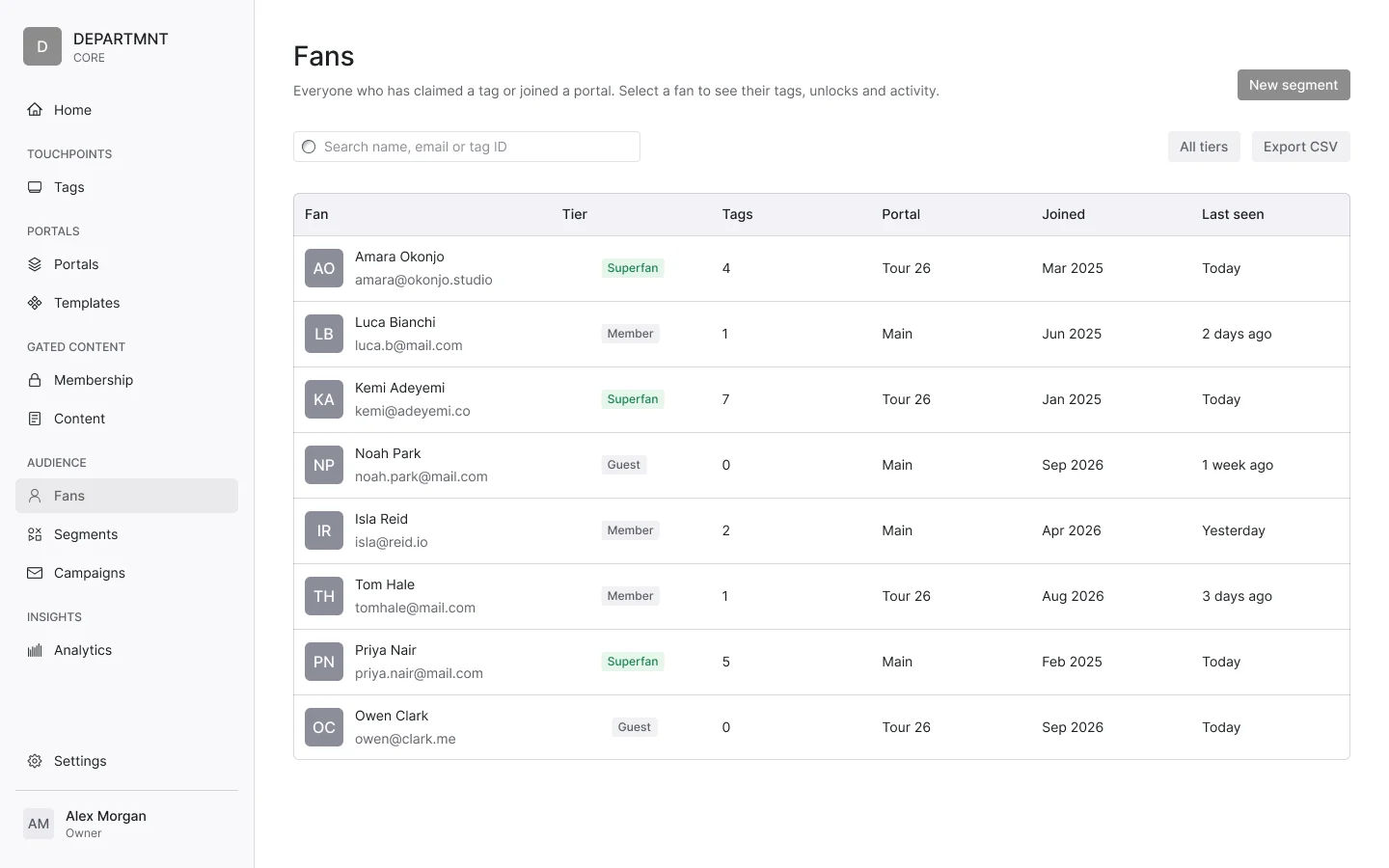
Insights shows what happened: taps in total, taps over time and taps by location. Two more dashboards are planned, with no dates published: Sales HQ, for ticket and product sales in one view, and Insights, for audience and engagement across every Portal. See the roadmap.
Payments
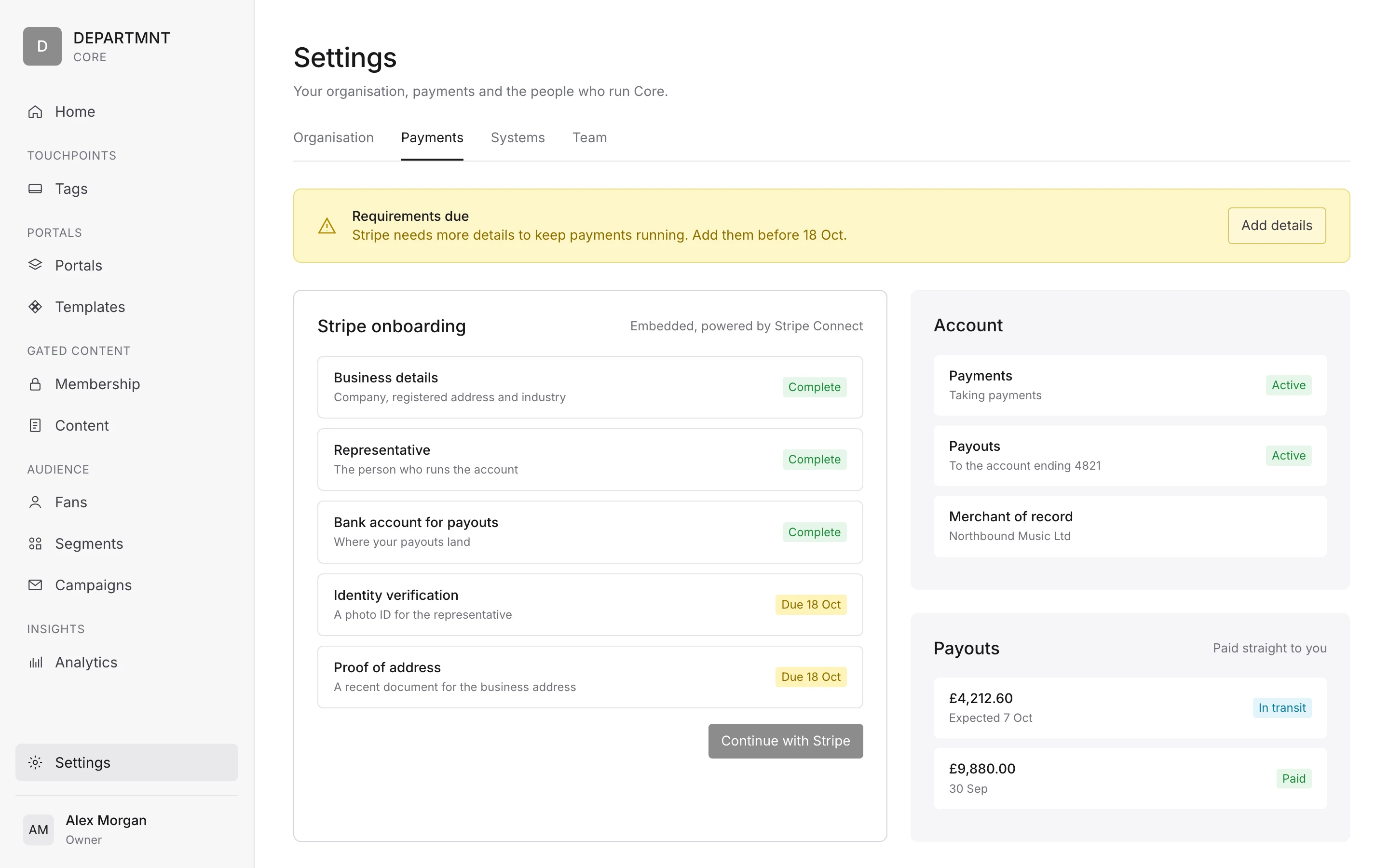
Payments run on Stripe Connect, and the organiser is merchant of record. Onboarding and payouts are embedded in Core, under Settings > Payments. Core shows a banner when payments need attention:
| Banner | What it means |
|---|---|
| Payments not set up | Stripe is not connected yet, so nothing can be sold. |
| Requirements due | Stripe needs more details to keep payments running. |
| Payouts paused | Money is held until the requirements are met. |
At the door
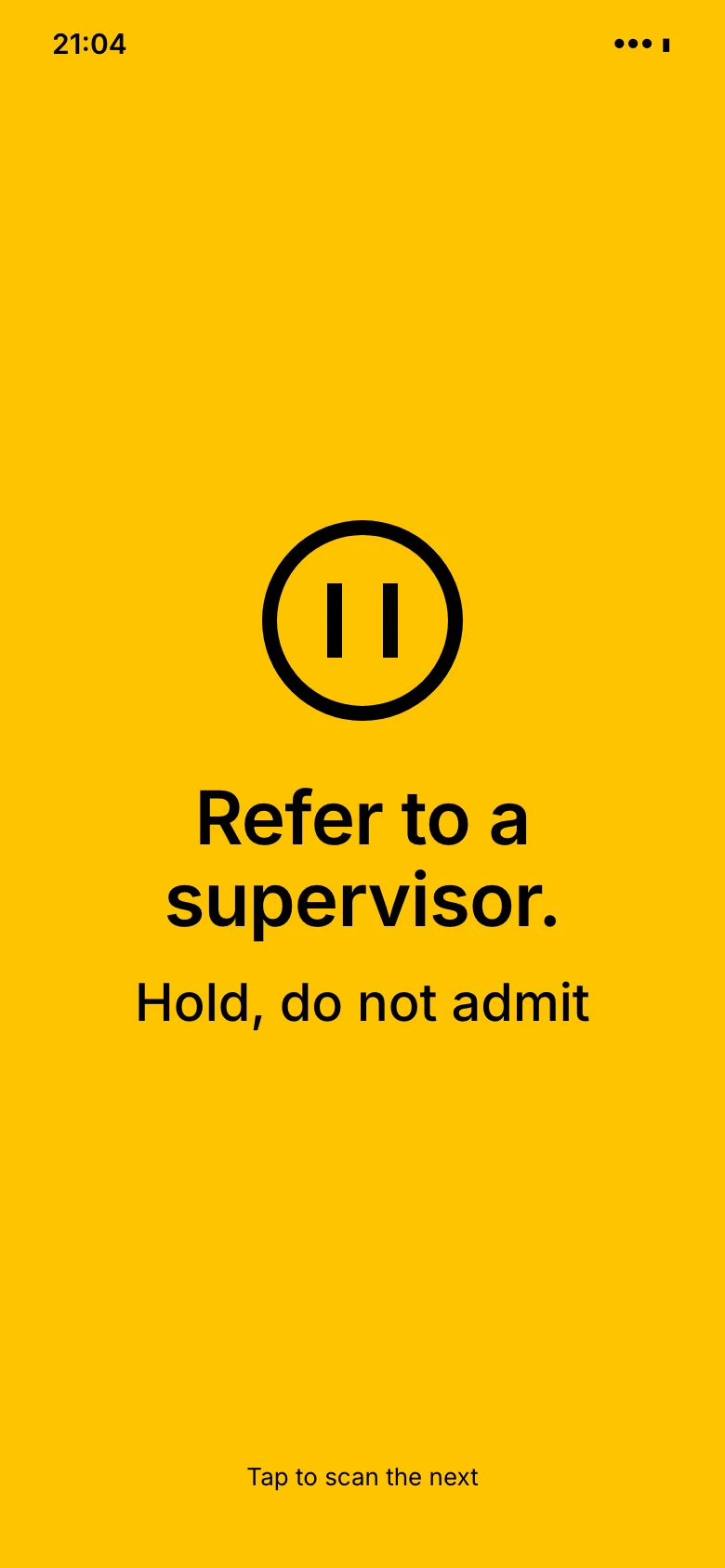
When a scan needs a person to look, the door screen says "Refer to a supervisor. Hold, do not admit." It never shows the reason.
- A human decides at the door. We never automatically refuse.
- The paper book stays the official record until a venue opts in.
- No photographs, no facial recognition, and no automated purchase bans.
For how tickets are checked, see Core Access.
Modules
Core has ten modules, and every tier has all ten. What changes is how deep each goes: Essential, Extended or Full. Which level each tier includes is set out in Tiers. Compliance is never tiered.
Integrations
| Integration | Status | What it does |
|---|---|---|
| Stripe Connect | Live | Payments and direct payouts |
| Resend | Live | |
| Apple Wallet | Live | Tickets added to a fan's Apple Wallet |
| Supabase | Live | The database behind Core and the Portal |
| Google Wallet | Pending | Tickets added to Google Wallet |
| CDP connection | Pending | A connection to a client's customer data platform |
| Paxton | Kept at YOU Studio | The access control system already installed at YOU Studio, kept for door access and connected, not replaced |
Companies that process data for us are listed in Security and compliance. Signed clients: see Developers.